Project Cover

BRAND

PROJECT

PASSION S3

RESPONSIBILITIES

Research
Design
Development

DESCRIPTION

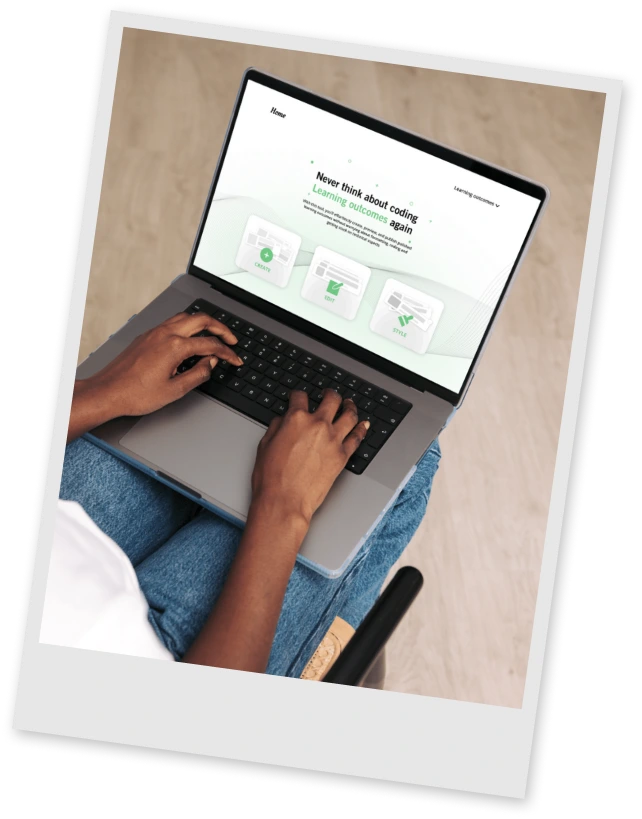
I have created a content management tool that allows you to create and publish learning outcomes without ever touching any code.

THE CHALLENGE

By the end of the third semester each student had to do a personal two week project regarding any ICT media topic we want. The best way to do so was to find a stakeholder to do the project for and go through a whole project cycle. I chose to develop a tool that will help students write their learning outcomes articles. Thus with this project I could both include stakeholders, do a complete project and skyrocket my lo2 skills.

Sakura Picture
PLANNING

DEFINING THE SCOPE

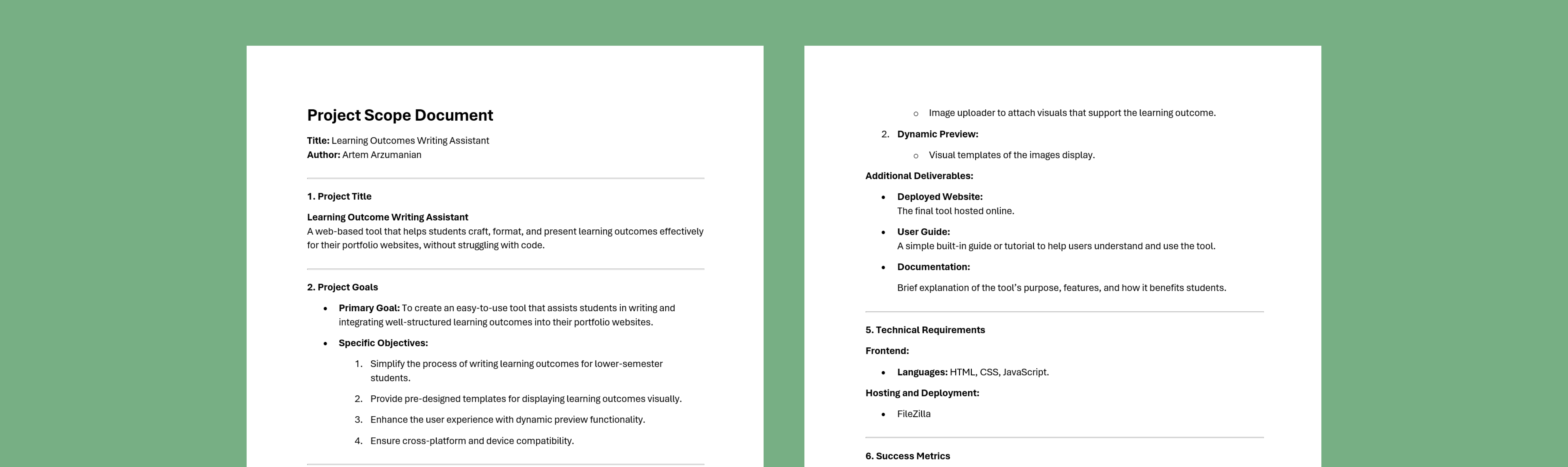
Before starting to work on the project it was important to literally state what the product will be like, its purpose, success metrics and maybe even early guess on the features. For that I created a project scope to decide with myself what will I deliver by the end of the project.

Sakura Team

UNDERSTANDING STAKEHOLDERS’ NEEDS

Long before starting this project I have been hearing from other students about their experience and relationship with writing learning outcomes, which is why I already knew enough about the main concerns and struggles. I have decided my main target audience to be lower semester students, due to their lack of experience in coding and documenting their educational progress, but while doing the project I also realized that a there are many higher semester Fontys students that already know how to do all that. Those students just don’t have time or motivation to write the learning outcomes because its just repetition. That’s when I decided to make both lower and higher semester Fontys students the target group for whom I will be developing the product.

Sakura Team

CLARIFYING THE FEATURES

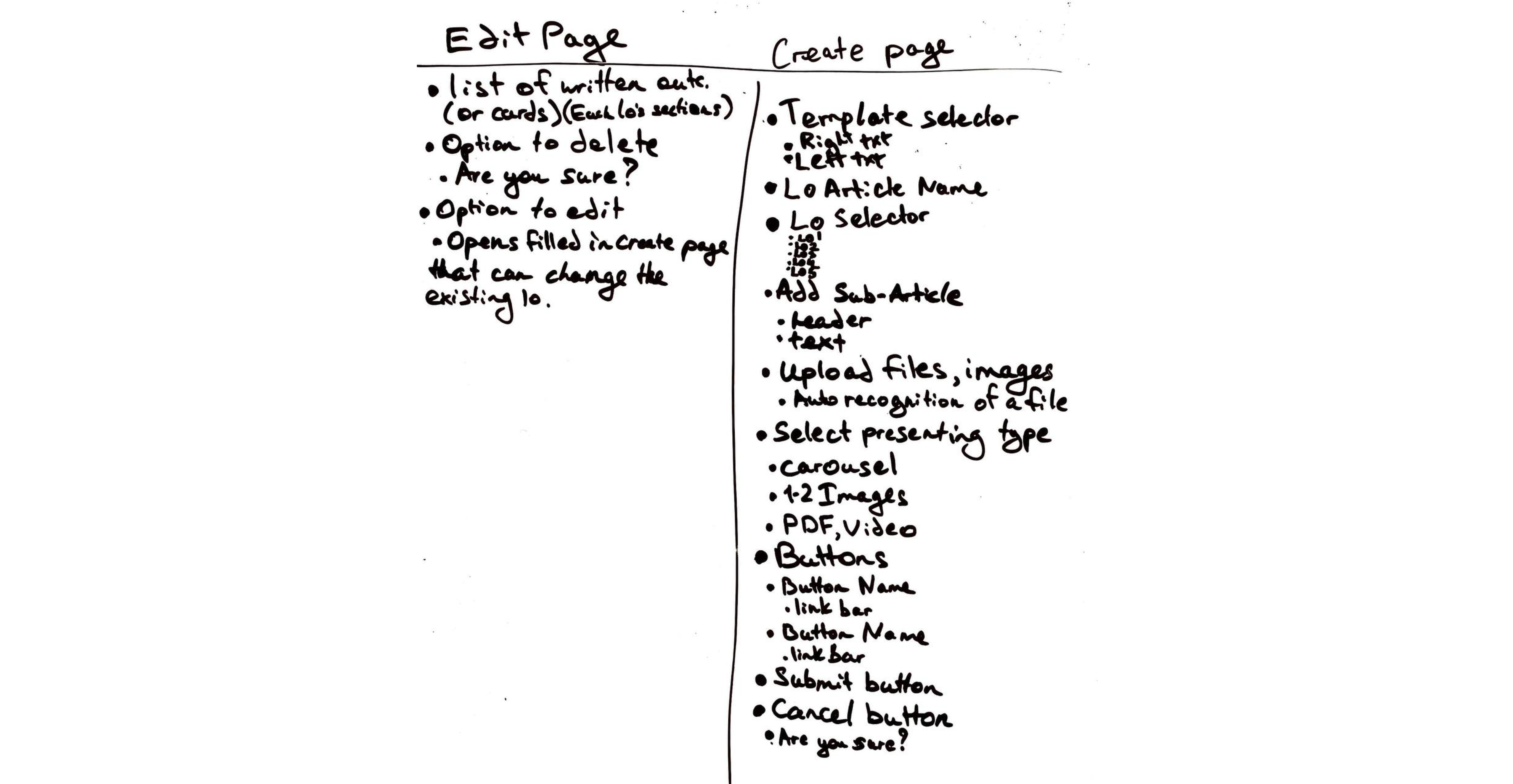
The first thing I have done after finalizing the target audience was creating a list of features per page. I took on a decision to create two pages, one that allows you to create the LO articles and the other that grants you access to editing them. Then I wrote down all of the main features that I had in mind that could be implemented in their pages. The big idea was to have fill-in forms in which you can easily write down and structure your learning outcome tasks and the tool would host the articles on the needed LO pages.

Sakura Team

SETTING THE FLOWS

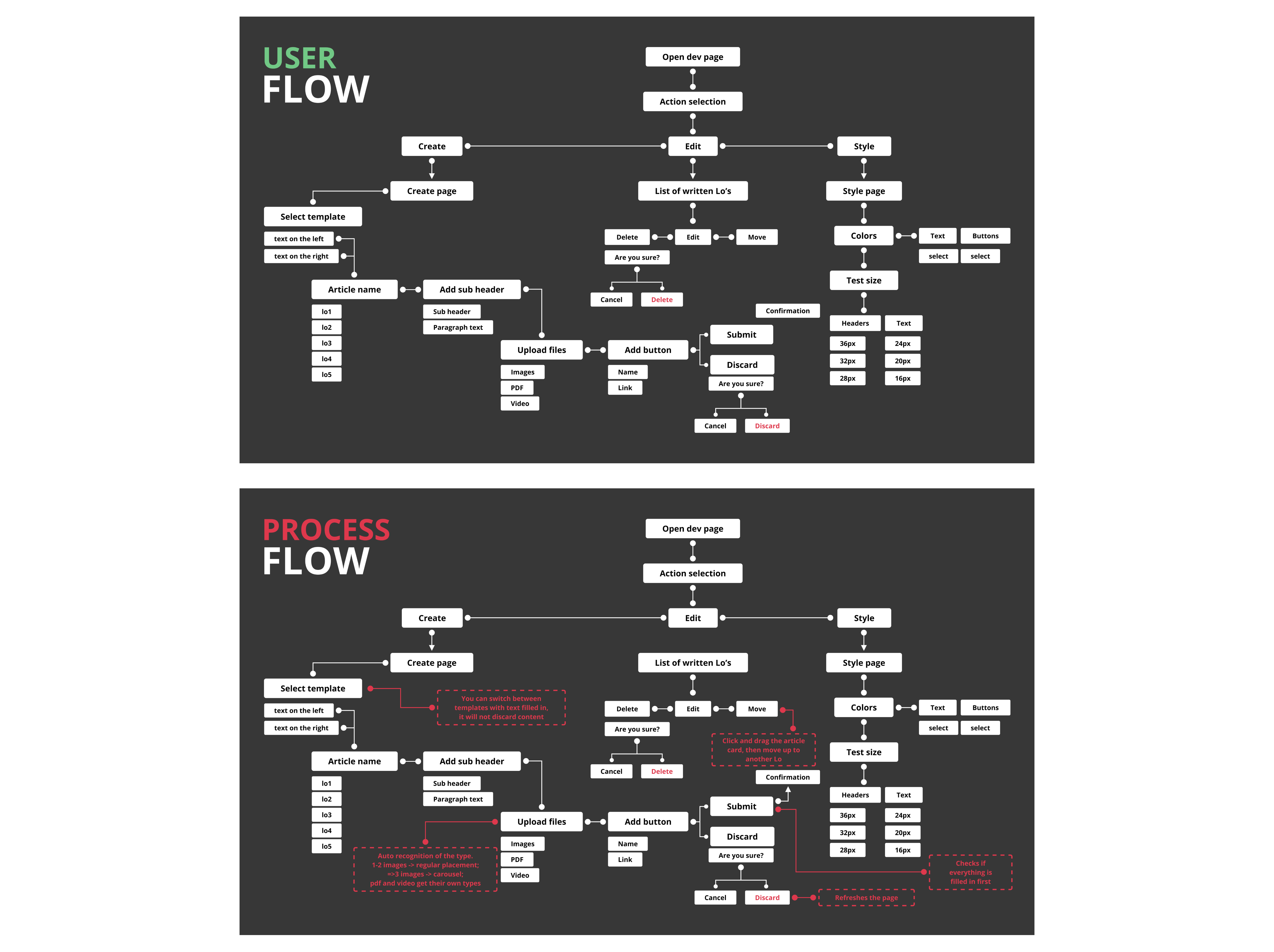
The next step was to create a user flow of the features I came up with, to see how will the user walk through the content and where it would be placed. I got suggested to additionally add a Style page from which a user could tweak the articles’ looks a bit, thus making the tool even more impressive. I set the flow of through the tree main pages and included important information, like a system check that would ask you if you really want to do some action. I then created a process flow in which I could write down important information regarding the system’s actions and thinking, which the user doesn't need to know about.

Sakura Team
DESIGN

GATHERING ASSETS

To prepare for design explorations I have gathered different inspirations from various sources to get a sense of the style, trends and standards that I need to keep in mind, I have also prepared the colors and the fonts that fit the product I had in mind. At that time I felt confident to move on to the next stages, having gathered and done enough of prep work.

Sakura Team
DESIGN

SHAPING BOLD IDEAS

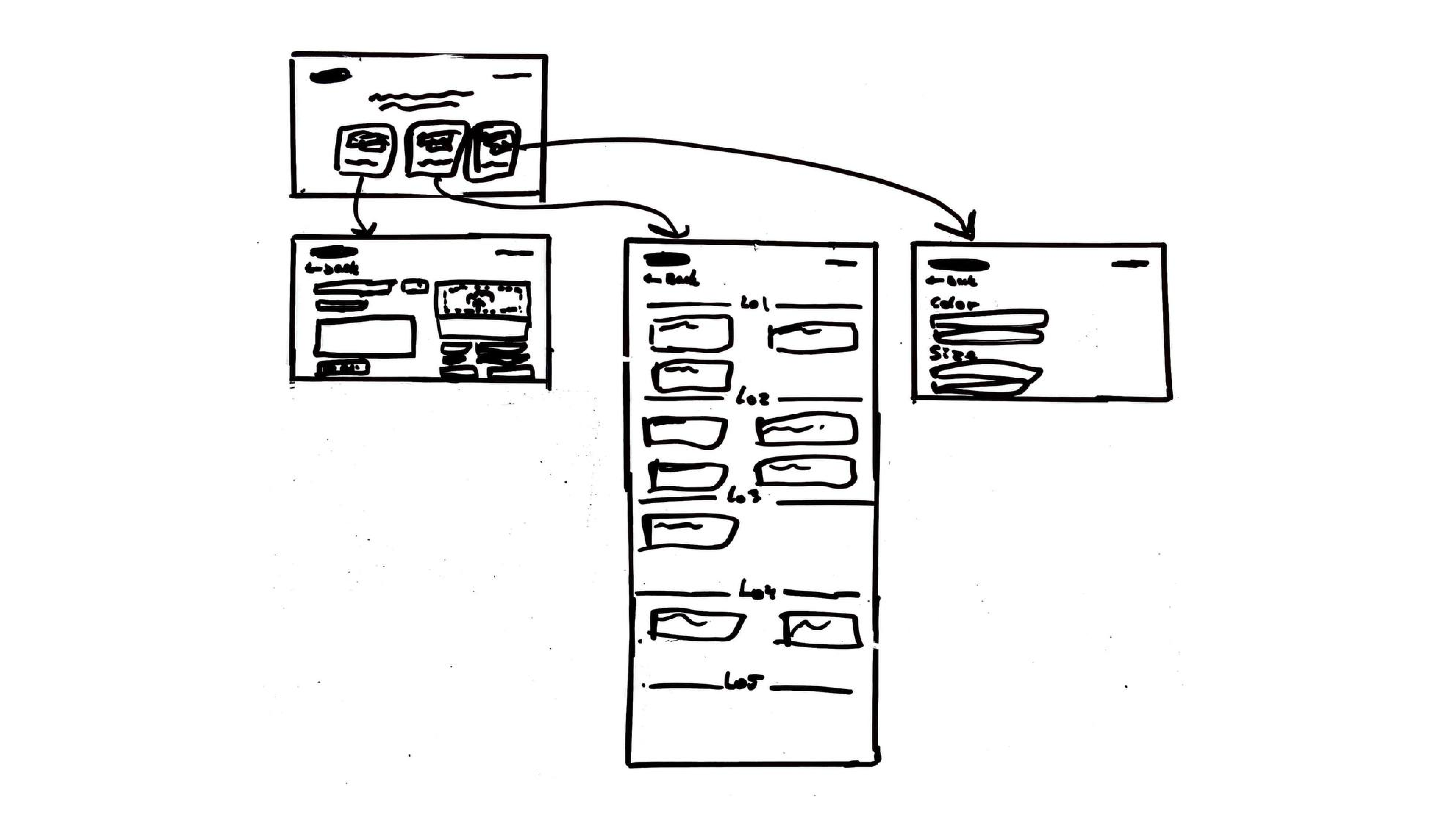
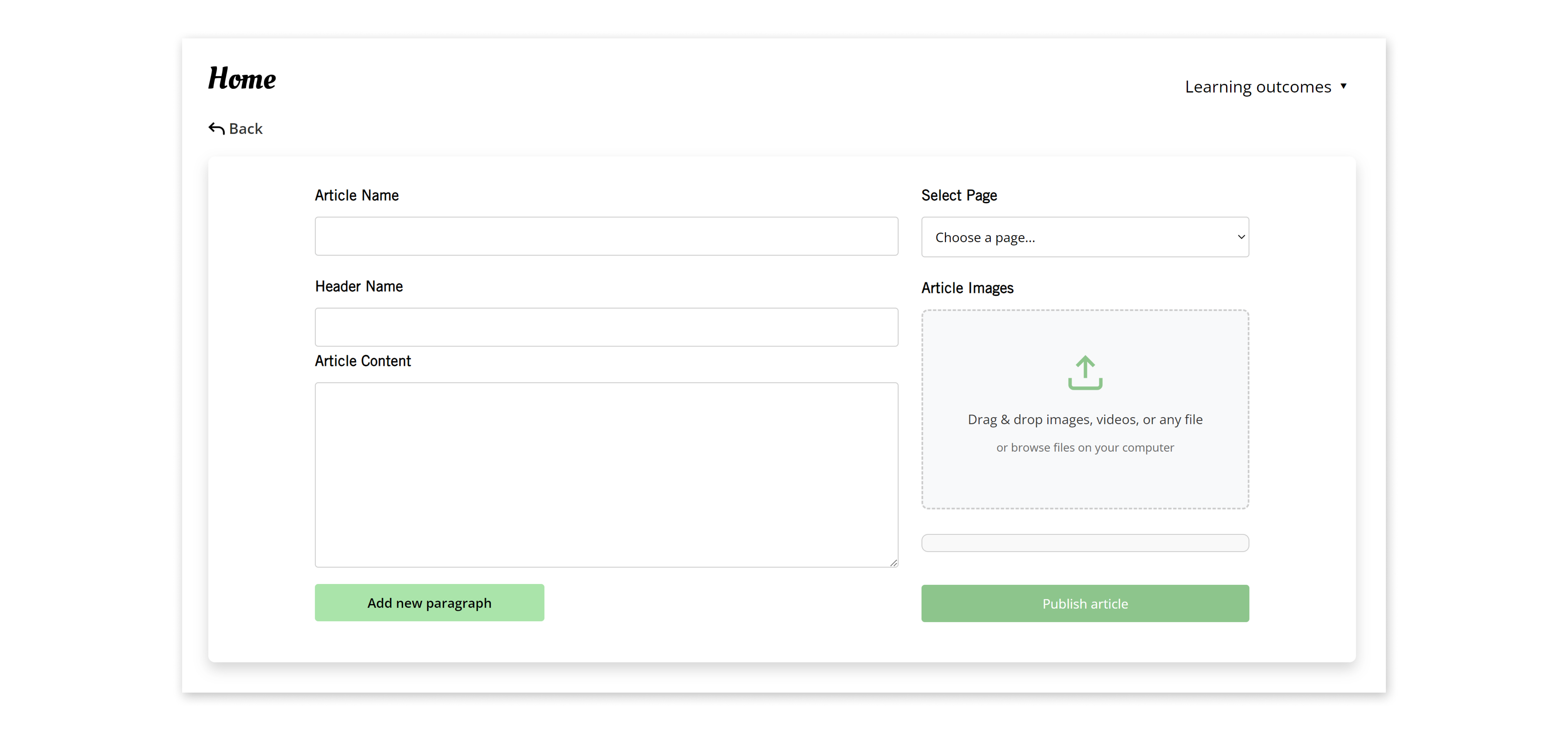
With very limited time and a big project on hand I sketched out the web tool on a whiteboard. I decided on having a main “dev” page that would list the possibilities you have with the toll, leading to an each page. The first would be a create page that would contain forms for the name of the article, a header and the text and a button to add a new paragraph. Then there would be a LO page selector and an image uploader. On the Edit page you would see cards with the written outcomes and have options to edit them. Lastly the style page would contain a few drop-down buttons that would change the style of the articles.

Sakura Team
DESIGN

FRAMING THE VISION

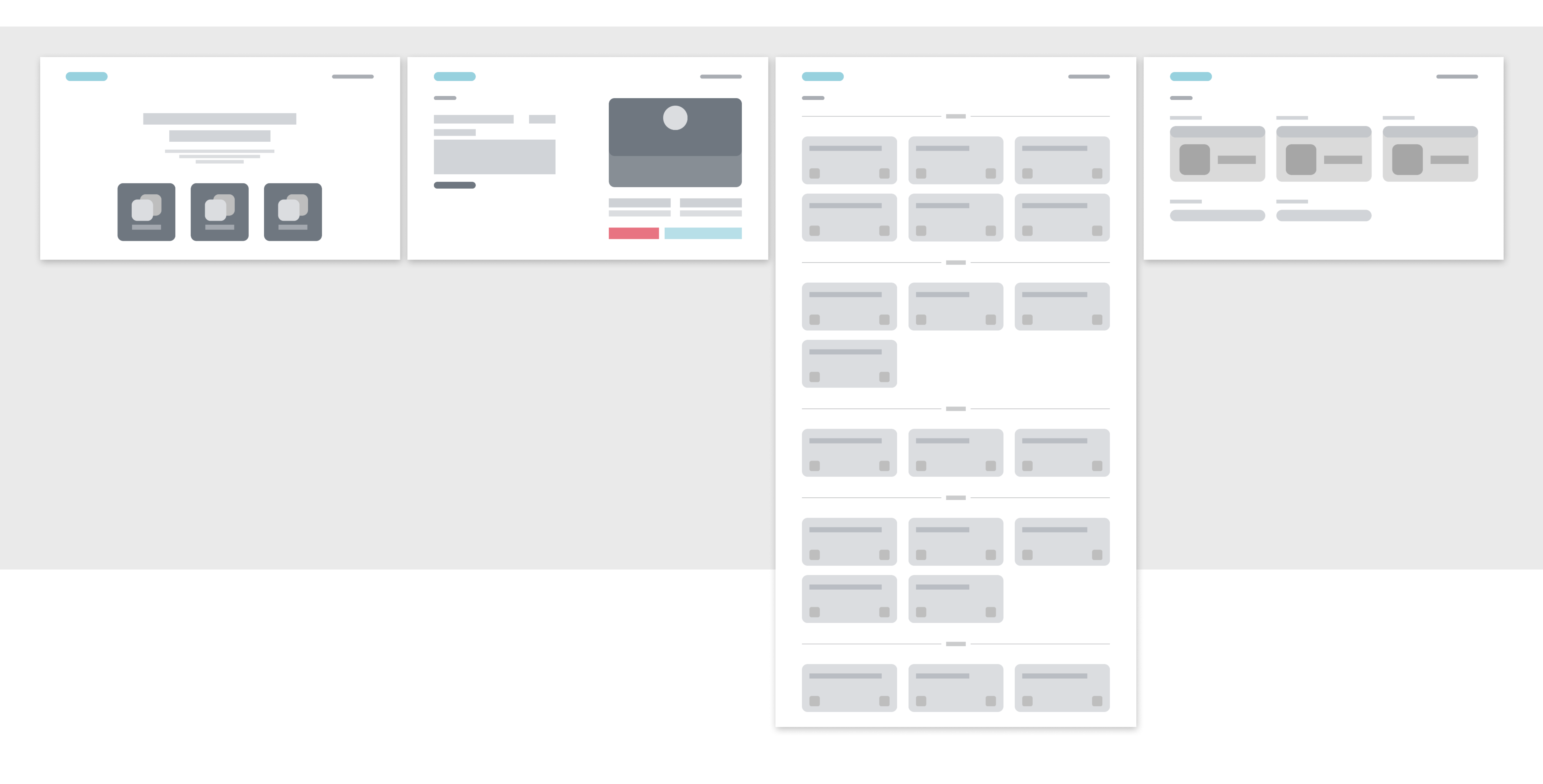
Midway through the project I have created wireframes from the sketches I have made. They were detailed, low fidelity versions of the final design I was about to create and they served as a clear pathway to getting to the desired result. New things I added were: Button on the top left, under the logo, to get to the previous page, since the logo would lead to the portfolio home page rather than back to the dev page; buttons on sides of the articles cards for deleting and editing them; forms for creating buttons on the create page, if the user wants to link external documents.

Sakura Team
DESIGN

FINALIZING DESIGN

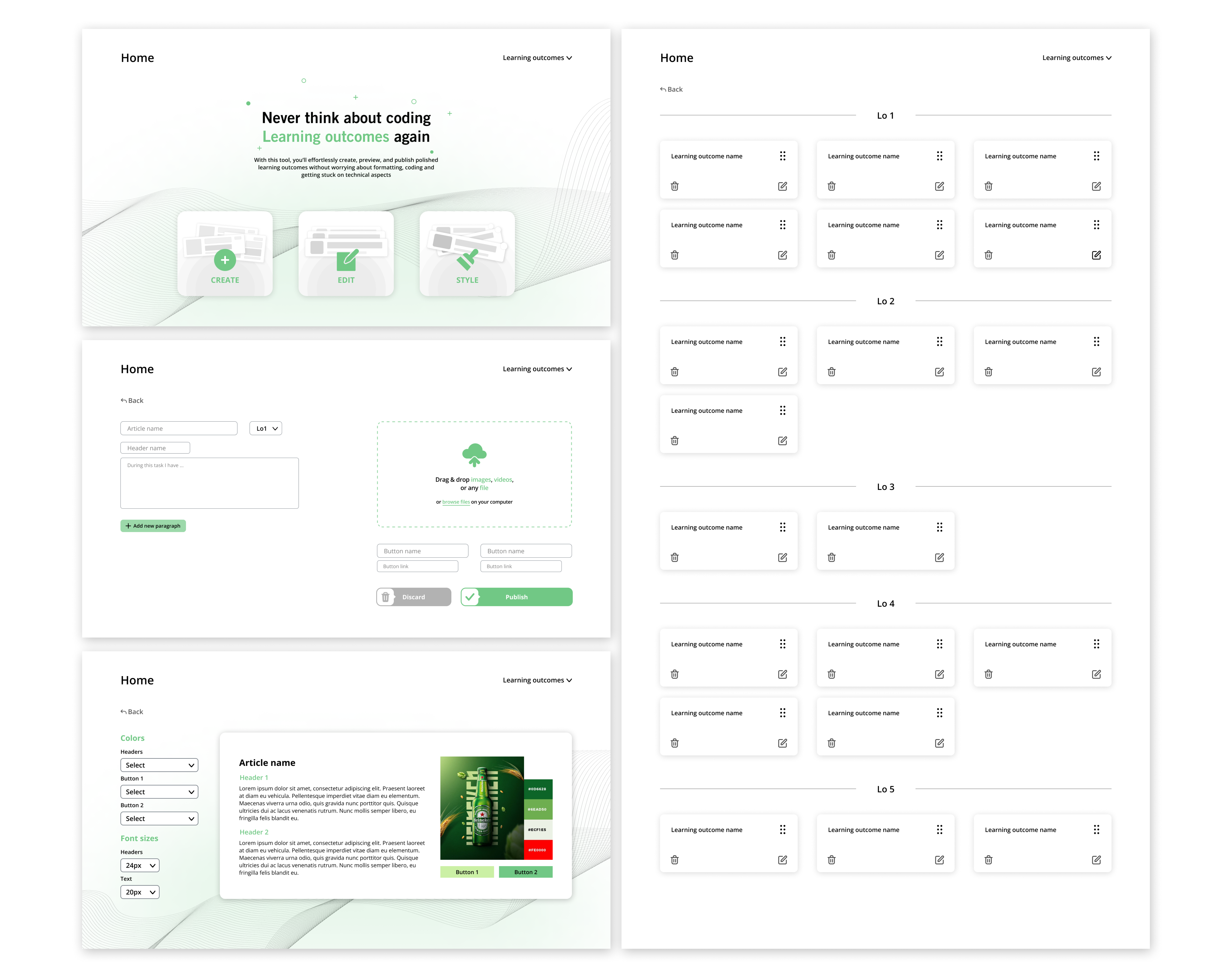
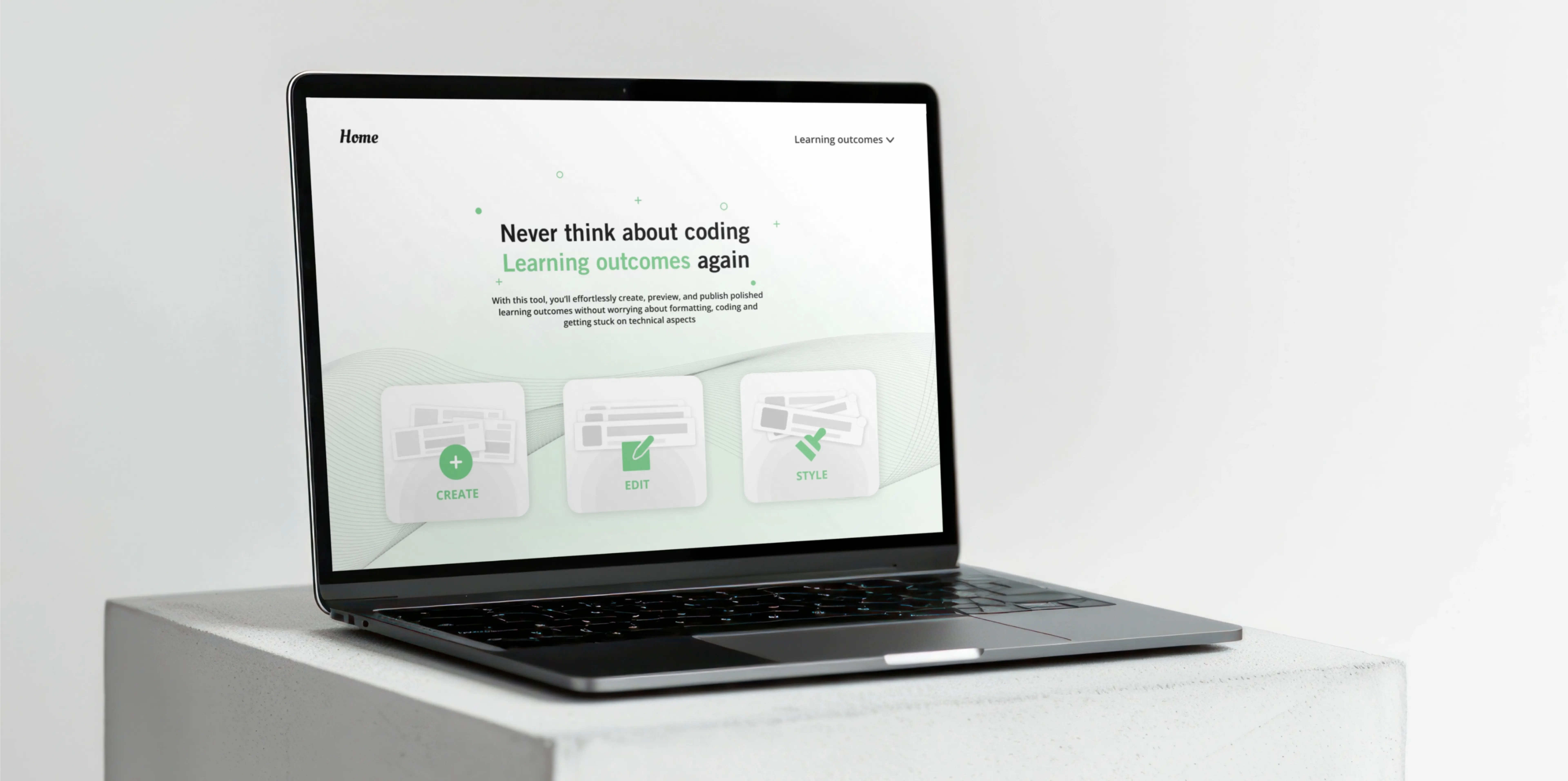
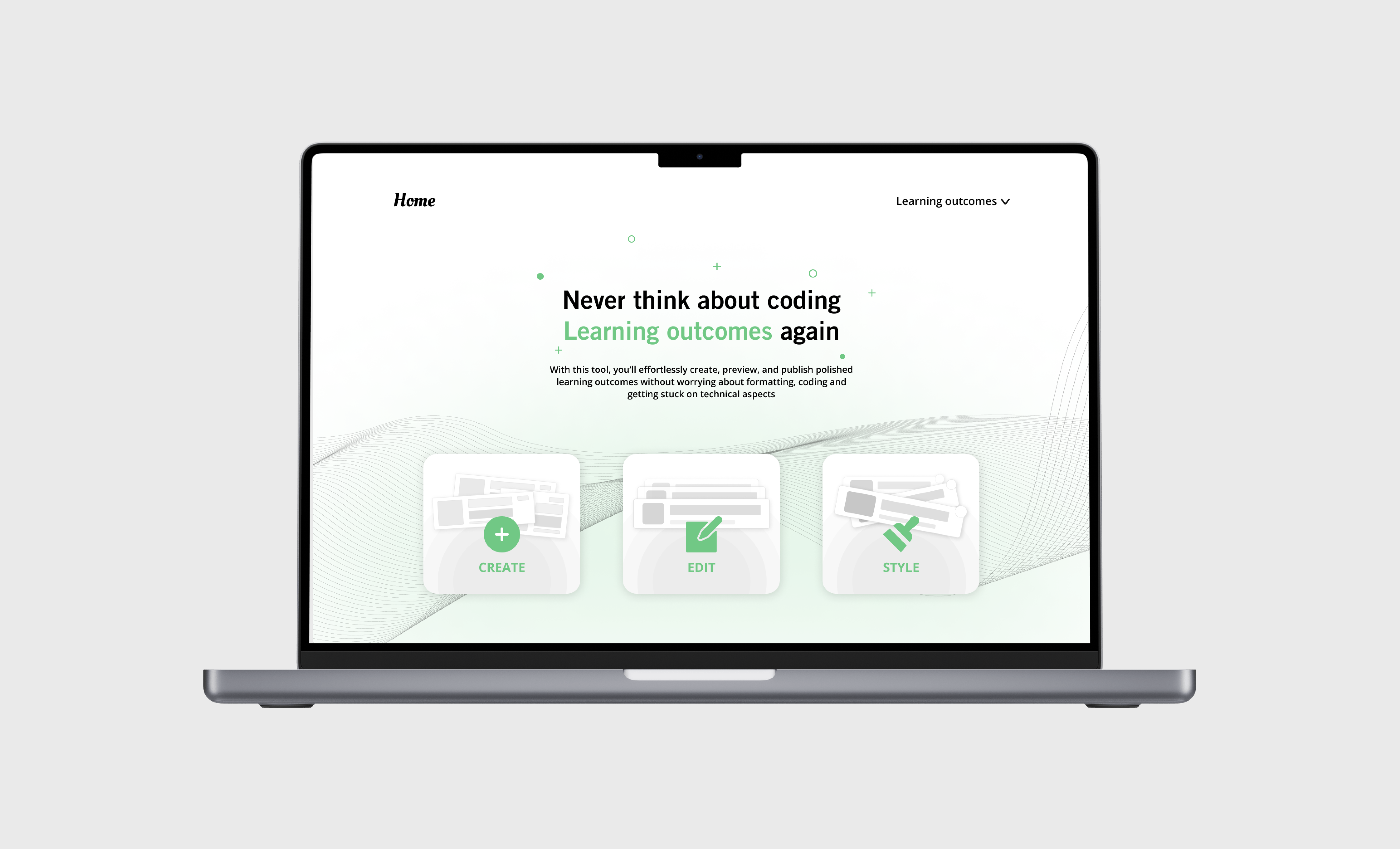
I put in the colors, fonts, added the text and made the shapes look trendy, ensuring the design completes its look. I created custom buttons to get to the Create, Edit and Style pages. I added a small description of what the tool is to help users understand it faster. Through asking feedback from different people I managed to create a user friendly design that is not crowded and is easy to navigate through. I additionally added a preview card on the right side of the Style page, so the user get a feel of what their styling changes would look like on an actual article. Applying the ideas I had before, making small changes on the way, I managed to create a finalized version of the tool’s design.

Sakura Team
DEVELOPMENT

BRINGING IDEAS TO LIFE

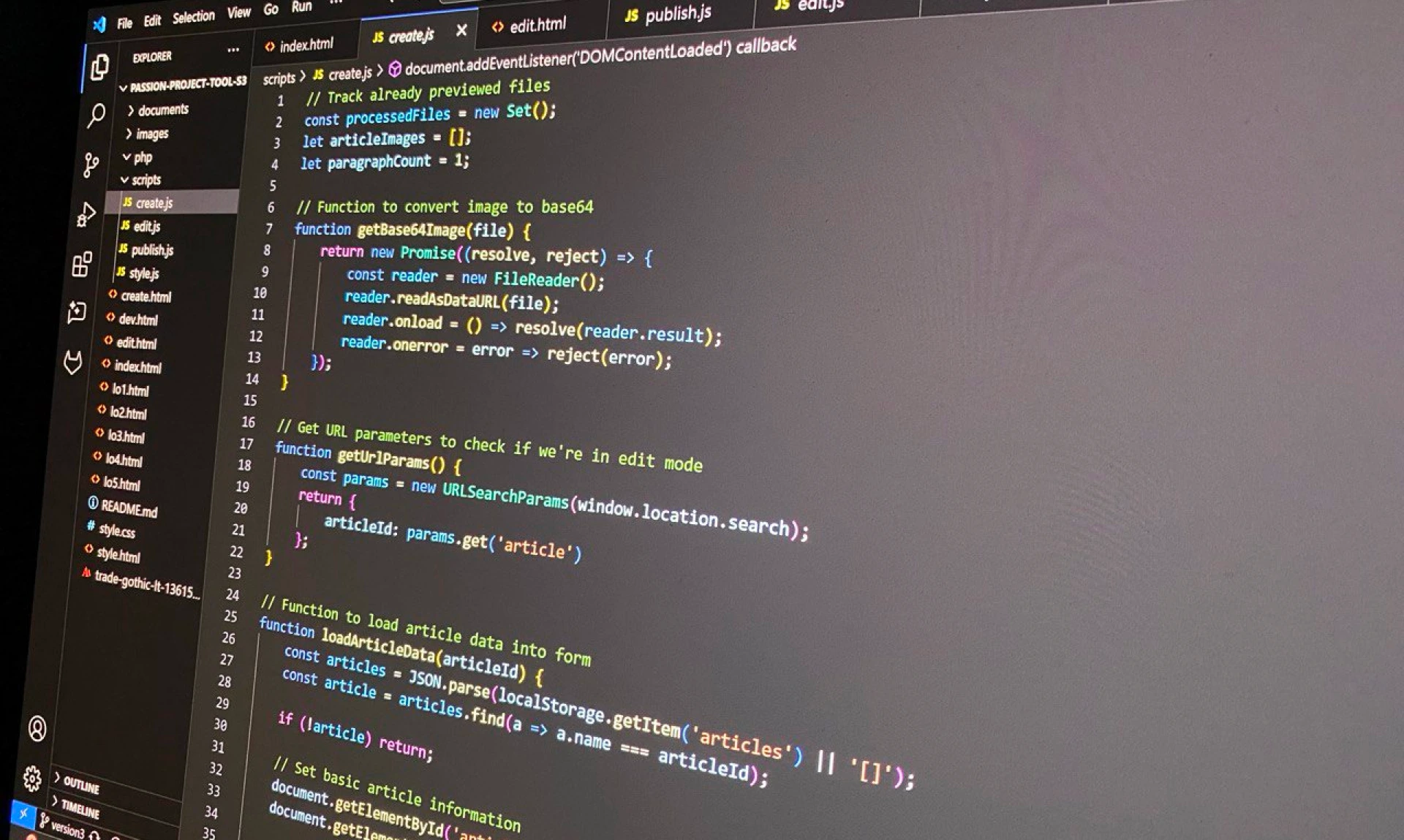
With just a couple days till deadline I knew that the whole project was on a line, I had to work fast and a lot if I wanted to fulfill my ambitions. Using VsCode I created multiple pages that needed to exist for the tool to work. I took on the coding process step by step. First starting with the create page and the JavaScript for it. Then moving on to edit and style pages I made sure I separate the JavaScript files for better readability and a more professional approach.

Sakura Team
DEVELOPMENT

FACING THE CHALLENGES

This project was a big test of character, since I ran into multiple problems at every stage of the coding phase. There were many errors in code and stuff would not always work. This was the first in deep experience I had with big JavaScript functions, let alone creating a full complex system, where different parts depended on each other. I pushed through, identified the problems and was fixing them one by one to reach the goal.

Sakura Team
DEVELOPMENT

LOOKING FORWARD

I finished coding the project close to the deadline, which also resulted prioritizing what is more important to have fully ready and what not. Looking into this project I had no idea how to do any of what I have delivered at the end. I just knew that I want to do it and in the process I will figure it out. I managed to code almost everything that I wanted to deliver by the end of the project. Looking forward to the potential the tool has, in the future I could add small details that could bring the tool to even a higher level, such as: Creating buttons forms for people to link external documents; Creating additional PDF and Video format displaying on the articles, if someone wants to showcase those kind of files.

Sakura Team

FINAL PRODUCT

I finalized the tool and troubleshooted the errors that I found. The result turned out amazing and I never knew I was capable of working with JavaScript on that level. To try out the product yourself I suggest you to click on the button bellow and try creating an article yourself! When you open the page you will see a portfolio hero page, in the link tab replace the index.html with dev.html. That is how you get access to the tool from your portfolio, it is hidden from portfolio readers, unless you know what to do. After getting to the page “https://i540398.hera.fontysict.net/passion-project-tool-s3/index.html”, you will be able to create, edit and style your learning outcomes.

MEASURING SUCCESS

"This project was the definition of “high risk, high reward.” I knew that the task was hard, I knew that I had no previous experience working on this kind of a project and I knew that there wasn’t enough time for it. The stakes were high and I am happy that I took on a decision to still do it. It showed how ambitious and confident I am and in result it paid of greatly. "

What went well

I have noticed how automatic the ideation to design to execution process became for me. I always seem to know what to do, where to look, how to progress. This project just made me realize that I am now more than capable enough to start working on real projects and implementing my skills to creating a source of income. I also noticed how my logical skills improved. Even when using AI assistants when coding you must be precise with what you say and how you frame your sentences. When problems in code occurred I was the one to analyze what went wrong and point it out to AI, while also suggesting methodologies and ways to approach the tasks, sometimes even directly stating what the problem is and how to fix it.

What would I do differently

Next time I would try to get more feedback on code from the development teachers. Because I started coding late in the project and did not yet have a clue about the challenges I would need to face, I did not get to talk to any teachers about the code I wrote or about the methods I tried to approach the tasks. I know that it would be a better practice to get insights from teachers next time I do such a heavy coding project. Other than that I think I did well in all the other aspects and am surely proud with the final product I’ve made.

SEE NEXT PROJECT